Fully AI · no human operators
Software you don't have to learn.
Customers, quotes, projects, tickets, scheduling and contracts in one place, run by AI agents working alongside your team. No courses and no hand-holding: from day one you ask, and the agent gets it done.
Before Traditional business software comes with manuals, classroom courses and months of hand-holding before the team can work on its own.
With Orafila Every area has an agent that knows your procedures. People ask; the agent does the job or guides them step by step.
The real screens, not a mock-up
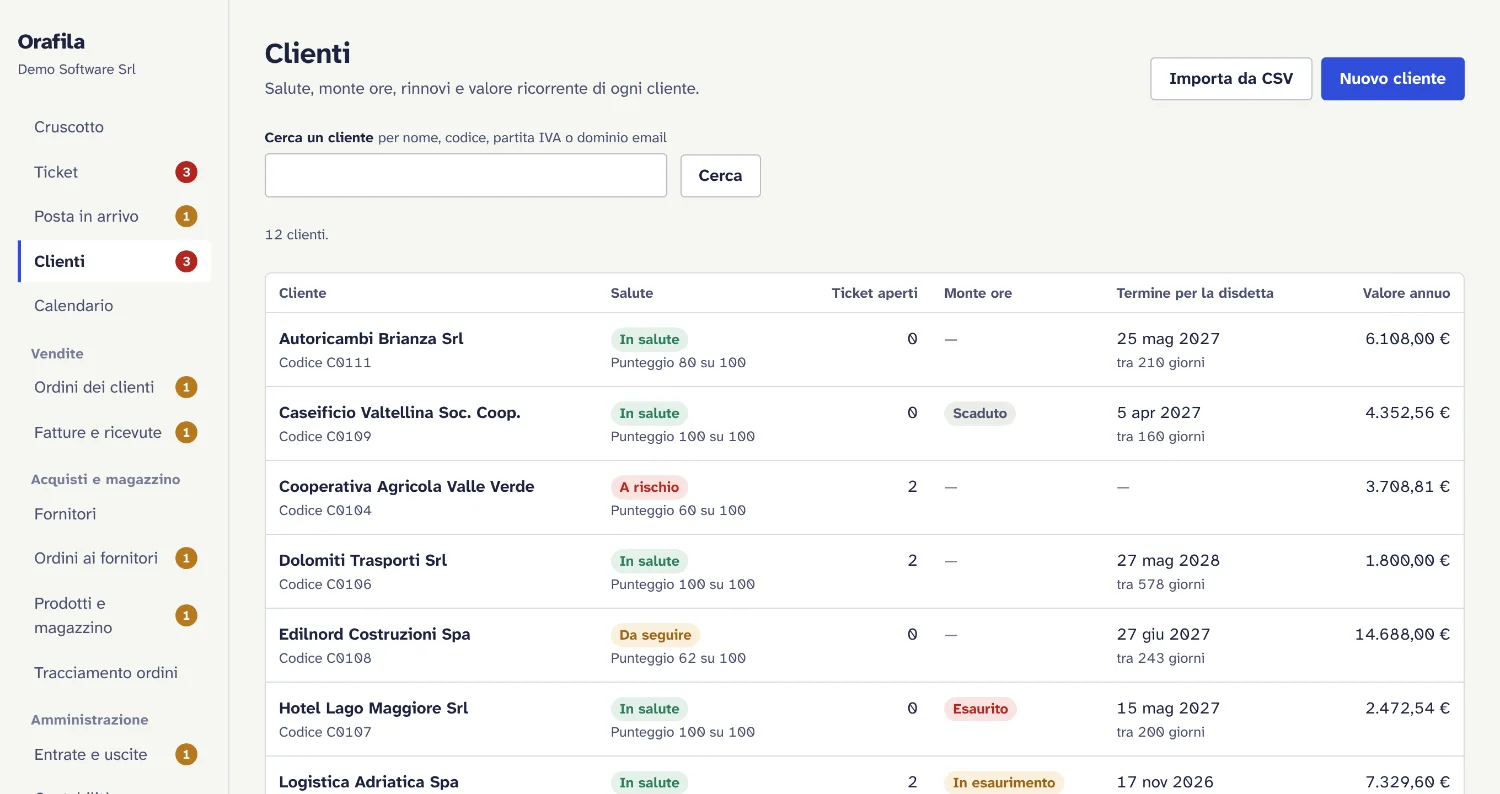
This is Orafila as the people who use it see it: tickets with their service deadlines, the health of every customer, prepaid hours that warn you before they run out. The agents work right here, on the same data.
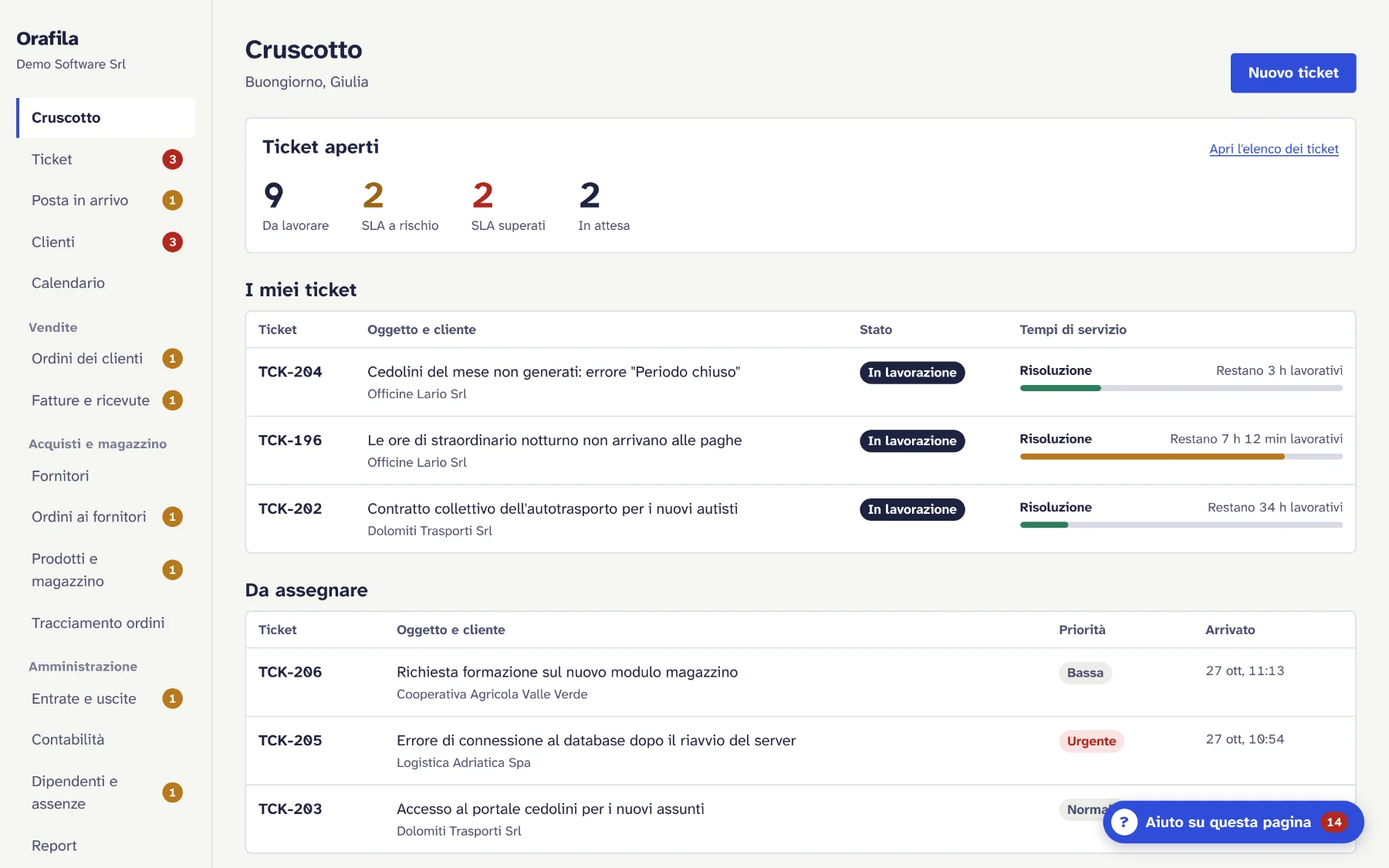
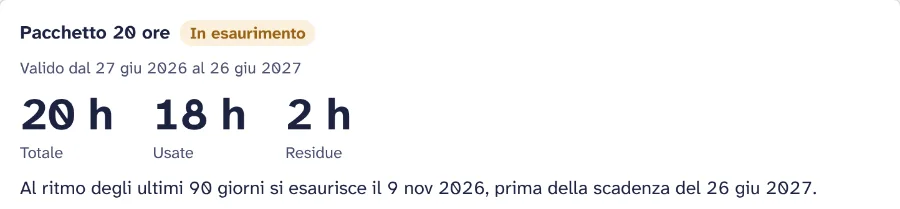
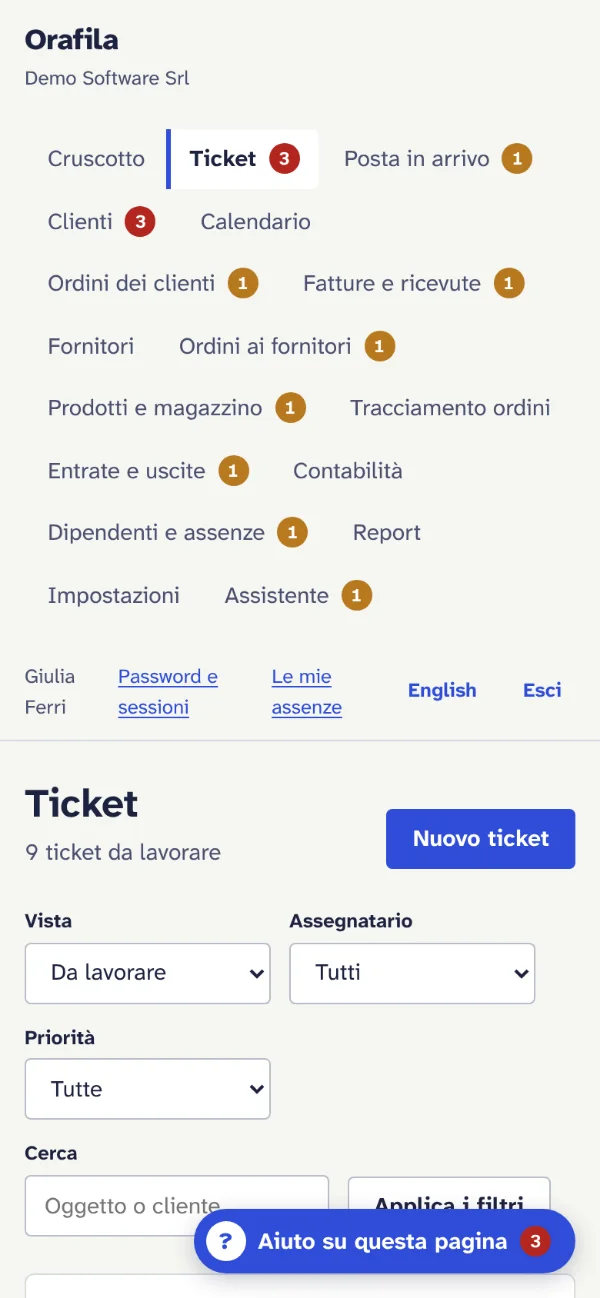
- Service deadlines
- Every ticket shows how long is left before it's due, counted in working hours and allowing for public holidays.
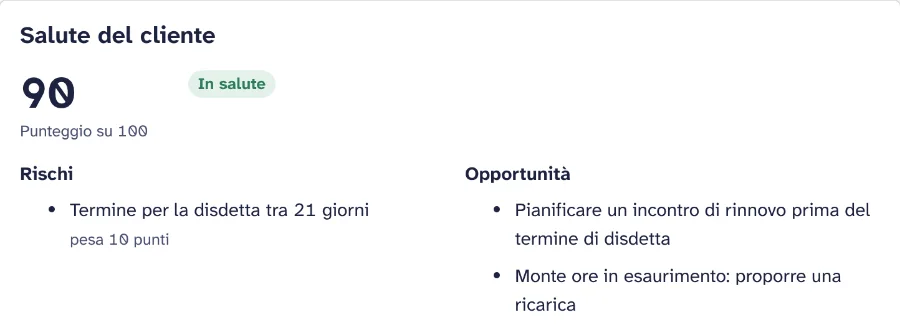
- Customer health
- A score that weighs up cancellations, prepaid hours and tickets, with the risks and opportunities explained.
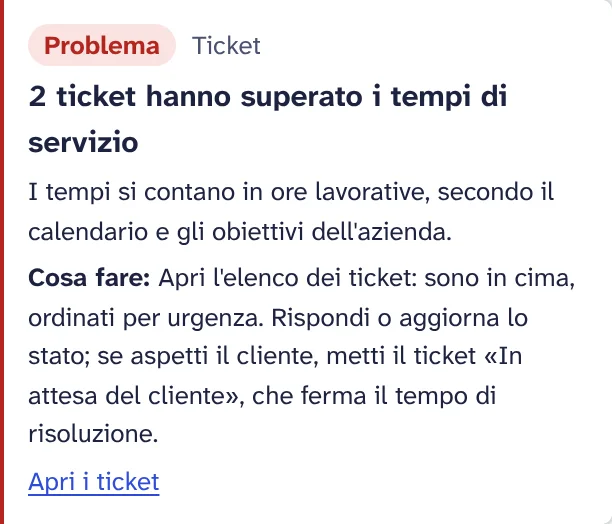
- Status check
- Orafila flags what's wrong on its own, tells you what to do and takes you to the right page.
An agent for every everyday job
The agents read the documentation written about your procedures and work inside Orafila with the permissions of whoever is using them. Pick a role and see what happens when someone asks.
Sample conversations with fictitious data.
Same work, without the learning curve
Orafila covers everything business software does for a service company. What changes is how people get there.
Getting started
Our technical support team handles the installation, and that is the only time people from our team are involved. All we ask of your team is to tell us how it works. After that, the agents do everything.
-
We import your data
Customers, contacts, contracts, price lists, projects and ticket history, from Excel or from an export of the software you use today.
-
We write up your procedures
Who approves a quote, how a service report is closed, when a ticket becomes urgent. They become tailor-made guides that the agents follow to the letter.
-
We switch on the agents for each role
Sales, technicians, project managers, administration: everyone sees only what they need, and the agent has exactly the same permissions as they do.
-
From then on, just agents
People ask and the agent gets it done. There are no operators or help desks to call: for questions and problems you ask the agent, at any hour. When a procedure changes, you simply update the guide and the agents adapt straight away.
Internal procedure · rev. 4
Approving quotes over €5,000
- The quote stays in draft until it is approved.
- The sales manager approves it within 2 working days.
- Above €20,000, administration must approve it too.
- If it is rejected, the reason must be recorded in the CRM.
The whole company in one place
Built from the day-to-day work of a service company: sales, projects, support and administration all talk to each other.
- CRM and leads
- Customer records, contacts, sales visits, referrals and cancellations.
- Quotes and price lists
- Quotes from your price lists, call-out charges, reports and the status of every deal.
- Approval workflows
- Multi-level approvals, holds, rejections with reasons, attached documents.
- Projects and prepaid hours
- Tasks, milestones, reviews, remaining hours and transfers between blocks of hours.
- Service reports
- Filled in by the technician, approved automatically, ready for invoicing.
- Tickets and support
- Support queues, SLAs, similar tickets already resolved, customer notifications.
- Scheduling
- Calendars for technicians and sales staff, appointments, anomalies and reassignments.
- Contracts and renewals
- Recurring fees, expiry dates, renewals and cancellations, with reminders before it's too late.
- Documents
- Document archive, acceptance test reports, documents awaiting approval.
- HR and benefits
- Expense claims, business travel, benefits and staff announcements.
- Marketing
- Lists, bulk mailings, privacy consents and campaigns linked to the CRM.
- Dashboards
- Profitability, productivity, unmanaged projects: ask for the figure and the agent finds it.
What the training you won't need would cost
Enter your company's figures. The calculation stays in your browser.
Training costs avoided
€85,500
- Team time
- €78,000
- Vendor training
- €7,500
- Working days given back
- 300
That's more than a year of one person's full-time work, spent on customers instead of courses.
Frequently asked questions
Is there really no training?
No courses are needed. Everyone uses Orafila by asking the agent for what they need to do, in plain language. The agent carries out the task or guides them step by step, following the procedures written for your company. During installation, our technical support team sets up roles and permissions with you: these are not lessons.
Is there support from human operators?
No. Orafila is fully AI: there are no operators behind the agents, and no help desk or number to call. For questions, requests and problems you ask the agent, inside the software, at any hour. Our technical support team only steps in for installation: importing data, setting up roles and permissions, and writing up procedures.
What happens if the agent makes a mistake?
Operations that change important data, such as quotes, contracts and approvals, always ask for confirmation before they are carried out. Every action is kept in the history with the name of the person who requested it, and it can be undone.
Can I bring my data over from the software I use today?
Yes. During installation, our technical support team imports customers, contacts, contracts, price lists, projects and ticket history from Excel, CSV or an export from your current software.
How long does it take to get started?
It depends mainly on how much data there is to migrate and how many procedures need writing. We're talking days, not months: we agree the start date with you during the demo.
Where is the data stored?
In data centres in the European Union, in compliance with the GDPR. The agents can only access the data that the person using them is authorised to see.
Can I cancel?
Yes. The subscription term, renewal and cancellation are set out in the purchase terms, which you see before you activate Orafila. Your data stays yours: if you leave the service, we hand it over to you as an export.
Try Orafila on your own processes
Fill in the form and we'll get back to you within one working day to arrange a demo with your sample data, or to explain how to get Orafila up and running.